
Halaman ini belum diterjemahkan dan ditampilkan dalam bahasa Inggris.
Banner hems and eyelets
Tools > Banner Hems and Eyelets finishes large prints such as banners and canvases: it grows the page by a border and places grommet marks, where the eyelets will be punched, along its edge.
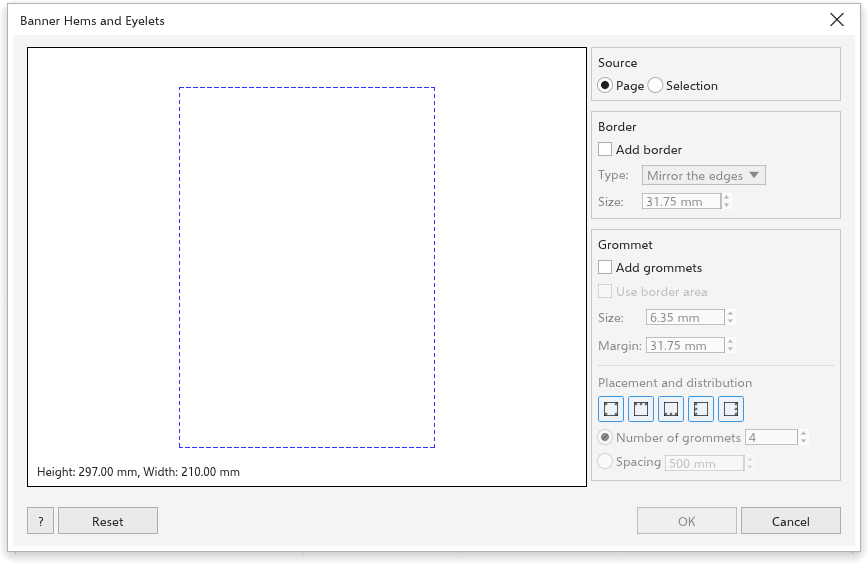
The preview on the left shows the final page, the border band, the original area (dashed) and the grommets, with the final height and width.
Source
Choose Page, or Selection to make the box of the selected objects the page.
Border
Tick Add border and choose its type:
- Mirror the edges: the design is mirrored out into the border;
- Stretch the edges: the edge pixels are stretched out;
- Solid color: the border is filled with one color.
Set the size (31.75 mm at first), the same on every side. The design stays where it is; mirrored and stretched edges are made from a picture of the design, placed behind it, so your objects stay editable.
Grommets
Tick Add grommets, then set:
- Use border area: center each grommet in the border band;
- Size: the diameter of the grommet (6.35 mm at first);
- Margin: from the outer edge to the grommet (31.75 mm at first).
Under Placement and distribution, choose the edges (corners, top, bottom, left, right; all at first), then the number of grommets per edge (4 at first) or the spacing between them. Corner grommets are shared by the two edges. The grommets are drawn as thin circles on a layer of their own.
Reset puts every field back; OK is available when a border or grommets are on.