
ໜ້ານີ້ຍັງບໍ່ໄດ້ແປເທື່ອ ແລະ ຖືກສະແດງເປັນພາສາອັງກິດ.
Comments
The Comments panel collects review notes on a drawing: pins, boxes and arrows on the page, each with a text and replies. Comments are saved with the drawing (in .tdraw files) and are never printed or exported. Open the panel from Window > Panels.
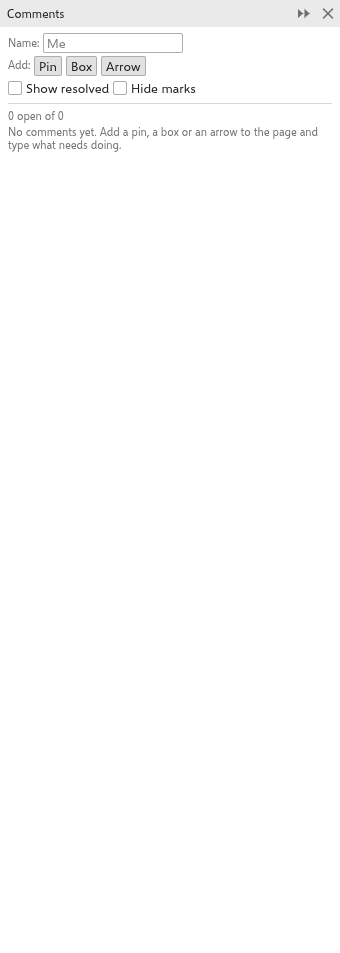
Adding a comment
- Type your name in Name. It signs your comments and replies. Left empty, the author of the drawing is used.
- Next to Add, click Pin, Box or Arrow.
- On the page, click to place a pin, or drag to draw a box around something or an arrow pointing at it.
- Type the comment.
Each comment shows its number in an orange bubble on the page.
Reading and answering
The panel lists the comments, with how many are open, each with its number, author, date and time, page, text and replies. Click a card to choose the comment and go to its page; with the panel open, you can also click a bubble or a box on the page.
- Edit the text of the chosen comment, or type in the Reply field and press Enter or click Reply.
- Resolve marks a comment as dealt with; Reopen opens it again. Resolved comments are hidden unless Show resolved is ticked.
- Hide marks hides the bubbles, boxes and arrows on the page.
- Delete removes a comment and its replies.
Every change is one undo step. Deleting a page deletes its comments.