
এই পৃষ্ঠাটি এখনও অনূদিত হয়নি এবং ইংরেজিতে দেখানো হচ্ছে।
Pattern fills
A pattern fill repeats a tile across the inside of an object. The tile can be two colors, a set of vector objects (a full-color vector pattern) or a bitmap. Tiles are anchored to the page, so they do not slide when you move the object.
Making a pattern from your objects
- Draw the objects that make up one tile and select them.
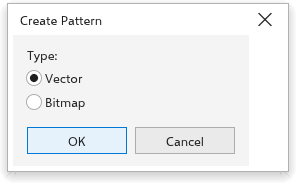
- Choose Object > Create > Pattern Fill.
- In the Create Pattern dialog box, choose the Type: Vector keeps the objects as vectors, sharp at any size; Bitmap makes a picture of them.
- Click OK.
The pattern becomes the fill of new objects. To give it to objects you have already drawn, choose Pattern in the fill section of the Properties panel.
Pattern settings
In the fill section of the Properties panel, choose Pattern, then the kind of pattern and its settings. For a vector pattern, the panel shows how many objects the tile holds, and its width and height: changing them scales the content of the tile with it.
Patterns in exported files
SVG files keep vector patterns as vectors. PDF and EPS files get them as pictures at the export resolution, clipped to the object.